NAS Protocols Explained: SMB, CIFS, and How They Work
When you plug a USB drive into your computer, the operating system handles everything automatically — you don’t think about how the data gets transferred. But when storage lives on a network, things work differently. The computer and the storage system are separate devices, often from different vendors, potentially running different operating systems. For them to exchange data reliably, they need an agreed-upon set of rules.
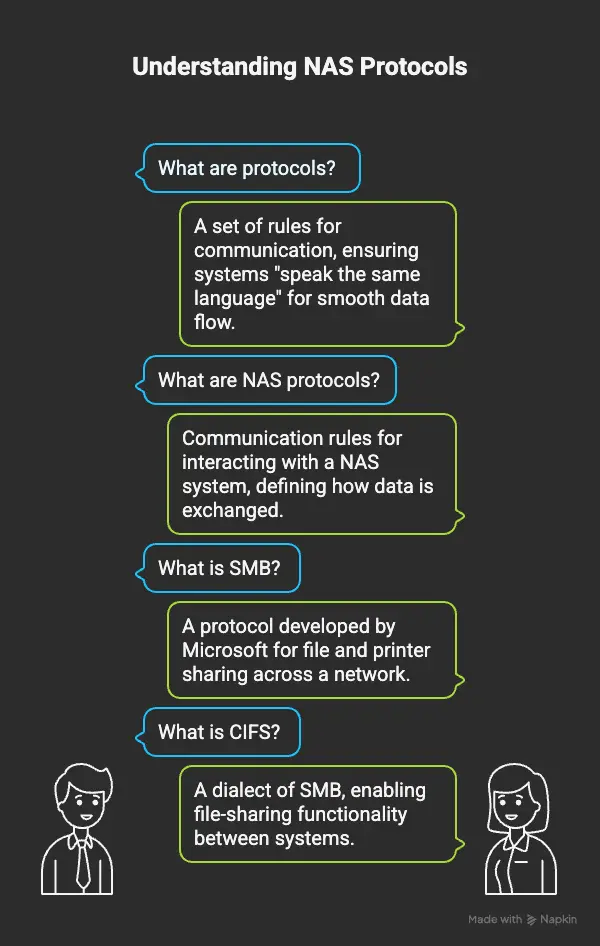
Those rules are called protocols. In the world of Network-Attached Storage (NAS), protocols define exactly how clients access files, how permissions are enforced, and how data flows across the network. Understanding them helps you configure NAS systems correctly, troubleshoot access problems, and choose the right setup for your environment.
What is a protocol?
A protocol is a standardised set of rules that two systems follow to communicate. Without a shared protocol, a Windows client asking a NAS device for a file would be like two people trying to negotiate in completely different languages — neither side knows how to interpret what the other is saying.
Protocols in networking define:
- How a request is formatted — what a “give me this file” message looks like
- How the response is structured — how the data is sent back
- How errors are handled — what happens when something goes wrong
- How authentication works — proving you have permission to access something In NAS environments, the choice of protocol determines which clients can connect, what features are available (locking, permissions, encryption), and how well the system performs under load.
The main NAS protocols
SMB (Server Message Block)
SMB is the protocol developed by Microsoft for sharing files, printers, and other resources across a network. It’s the dominant protocol in Windows environments and is supported natively by every version of Windows.
When you map a network drive on a Windows PC or access a shared folder on another machine, you’re almost certainly using SMB.
What SMB enables:
- Access to shared files and folders
- Shared printer connections
- Inter-process communication between systems
- File locking (preventing two users from overwriting each other’s changes)
SMB has evolved significantly over the years:
| Version | Introduced with | Key improvements |
| SMB 1.0 | Windows NT 3.1 (1992) | Original implementation |
| SMB 2.0 | Windows Vista (2006) | Dramatically reduced chattiness; better performance |
| SMB 2.1 | Windows 7 (2009) | Improved caching |
| SMB 3.0 | Windows 8 (2012) | End-to-end encryption, multichannel support, live migration |
| SMB 3.1.1 | Windows 10 (2015) | Pre-authentication integrity checks; stronger security |
Important: SMB 1.0 should be disabled on all modern systems. It was exploited by the WannaCry ransomware attack in 2017 and has known, unpatched vulnerabilities. Modern NAS devices and Windows systems use SMB 2.x or 3.x by default.
CIFS (Common Internet File System)
CIFS is a specific dialect (implementation) of SMB 1.0, introduced by Microsoft in the mid-1990s as an attempt to standardise file sharing for the internet era. For a long time, “CIFS” and “SMB” were used interchangeably in documentation, vendor marketing, and support tickets — which causes confusion to this day.
The practical distinction:
- CIFS = SMB 1.0 — the original, verbose, and now legacy version of the protocol
- SMB 2.x / 3.x — the modern, significantly improved successors
In current environments, you’ll mainly see “CIFS” in older NAS systems, legacy configurations, and vendor documentation that hasn’t been updated. If you’re setting up a new system, configure SMB 3.x — not CIFS.
NFS (Network File System)
NFS is the standard file-sharing protocol in Unix and Linux environments, developed by Sun Microsystems in the 1980s. Where SMB dominates Windows networks, NFS dominates Linux and Unix ones.
NFS is widely used in:
- Linux servers and workstations
- VMware ESXi (for datastore access)
- High-performance computing (HPC) clusters
- Enterprise NAS systems serving mixed environments
Key characteristics of NFS:
- Lightweight and efficient — performs well over fast networks
- Relies on the host OS for user authentication (UID/GID mapping)
- Supports large-scale deployments with many simultaneous clients
- NFSv4 (the current version) adds stronger security, stateful operation, and ACL support
NFS vs SMB: In a pure Linux environment, NFS is typically the better choice. In a Windows-dominant environment, SMB is the natural fit. Many enterprise NAS systems support both simultaneously, serving Windows clients via SMB and Linux clients via NFS from the same shared storage pool.
AFP (Apple Filing Protocol)
AFP was Apple’s proprietary file-sharing protocol, used by macOS for network file access for decades. It supported Mac-specific metadata like resource forks and Spotlight indexing, which SMB historically handled poorly.
However, Apple deprecated AFP in 2013 and removed it entirely in macOS Ventura (2022). Modern Macs use SMB 3 for network file access, and any NAS device targeting macOS clients should be configured to use SMB — not AFP.
FTP and SFTP
FTP (File Transfer Protocol) is one of the oldest internet protocols, designed for transferring files between systems. Some NAS devices offer FTP access as an alternative to SMB or NFS, particularly for remote access scenarios or simple file transfers.
FTP has a major limitation: it transmits data — including credentials — in plain text. It should never be used on untrusted networks.
SFTP (SSH File Transfer Protocol) is the secure replacement. Despite the similar name, SFTP is entirely different from FTP — it runs over SSH and encrypts all data in transit. Many NAS systems support SFTP for secure remote file access.
Protocol comparison
| Protocol | Primary OS | Use case | Encryption | Status | | SMB 3.x | Windows | File/printer sharing, general NAS access | Yes (built-in) | Current standard | | SMB 1.0 / CIFS | Windows (legacy) | Older systems only | No | Deprecated — disable | | NFS v4 | Linux / Unix | Linux servers, VMware, HPC | Optional (Kerberos) | Current standard | | AFP | macOS (legacy) | Mac file sharing | Limited | Removed in macOS Ventura | | FTP | Any | Simple file transfer | No | Legacy — avoid | | SFTP | Any | Secure remote file transfer | Yes (SSH) | Recommended for remote access |
Choosing the right protocol
Windows-only environment: Use SMB 3.x. It’s built into every Windows client, actively maintained, supports encryption, and handles permissions through Active Directory. Linux / Unix environment: Use NFSv4. It’s lightweight, performs well, and integrates naturally with Linux permission models. Mixed Windows and Linux: Configure the NAS to serve both SMB (for Windows clients) and NFS (for Linux clients) from the same volumes. Most enterprise NAS systems — including Dell EMC Unity, Synology, QNAP, and NetApp ONTAP — support this natively. macOS clients: Use SMB 3.x. Apple dropped AFP and now uses SMB as its native network file system protocol. Remote/internet access: Use SFTP or a VPN. Never expose raw SMB or NFS to the internet — both protocols are designed for trusted internal networks.
FAQs
Are SMB and CIFS the same thing? Technically, CIFS is a specific dialect of SMB 1.0. In modern usage, SMB refers to the current protocol family (SMB 2.x and 3.x), while CIFS refers to the legacy SMB 1.0 implementation. They’re related but not interchangeable in practice — always use SMB 3.x for new deployments.
Should I disable SMB 1.0? Yes, on all modern systems. SMB 1.0 has known, unpatched security vulnerabilities and was the attack vector used in major ransomware incidents including WannaCry. Windows 10 and Windows Server 2019 and later disable it by default.
Can a NAS serve both Windows and Linux clients simultaneously? Yes. Most enterprise and prosumer NAS systems (Synology, QNAP, NetApp, Dell EMC) can run both SMB and NFS services simultaneously, letting Windows clients connect via SMB and Linux clients via NFS — both accessing the same underlying data.
Which protocol does VMware ESXi use for NAS datastores? VMware ESXi supports NFS (v3 and v4.1) for NAS datastores. It does not use SMB for datastore access, though it can mount SMB shares inside guest VMs.
Is NFS secure? NFSv3 relies on IP-based access control and UID/GID mapping, which can be spoofed on untrusted networks. NFSv4 with Kerberos authentication is significantly more secure. NFS should only be used on trusted, internal networks — never exposed to the internet without a VPN or additional security layer.
What port does SMB use? SMB uses port 445 (direct hosting over TCP/IP). Older implementations also used ports 137–139 (NetBIOS). Port 445 should never be exposed to the internet.
Conclusion
NAS protocols are the communication layer that makes network storage useful. Without them, a NAS device is just a box of disks that nothing can talk to. The protocol you choose shapes everything: which clients can connect, how permissions work, what security features are available, and how the system performs at scale.
- SMB 3.x is the standard for Windows environments and modern macOS
- NFS v4 is the standard for Linux, Unix, and VMware environments
- CIFS / SMB 1.0 should be disabled on any modern system
- SFTP is the right answer for secure remote file access In mixed environments, running SMB and NFS side by side from the same NAS is the norm — and most modern NAS platforms handle it seamlessly.